GYLT
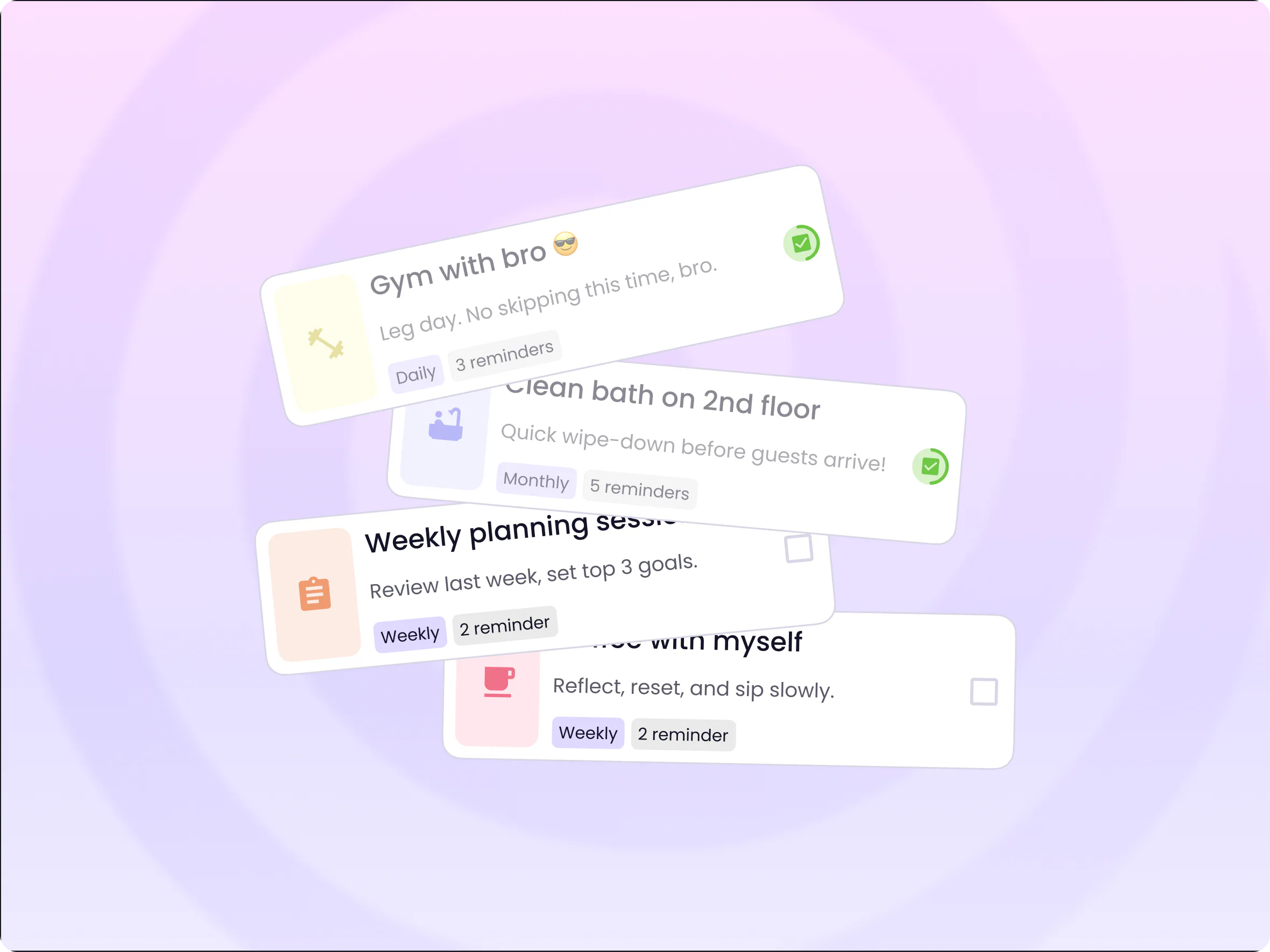
GYLT is an independent iOS-first app that brings everyday tasks and habits into one simple experience. Three of us took it from an early idea to a structured MVP in design and development, then paused it before launch.
What I did
I owned the product's UX and UI and took part in every product decision, from MVP scope to monetization.
- UX architecture, user flows and interactive prototypes
- Visual direction, component library and design system
- Development handoff with documented states and edge cases
- Product discussions, feature prioritization, MVP planning and monetization
- Ilya led development and technical feasibility, Dima led research and discovery
The idea
Many productivity apps grow into management systems. We wanted the opposite: a personal space where you add a task in seconds, keep routines going and see what needs your attention, without a tutorial.
The name became a brand direction. GYLT reads like “guilt”, and the product should take the pressure off unfinished tasks, not add to it.
The challenge
Can tasks and habits live together in one approachable interface? To get there, the design had to solve a set of hard parts.
- Creating a task quickly, without a dense settings screen
- Keeping a calendar and a chronological list in sync
- Recurring tasks and reminders
- What happens to missed and skipped tasks
- Empty states that help instead of just being empty
- Components that scale as features grow
From vision to MVP
The long-term vision included an AI assistant. We left it out of the MVP on purpose: with one developer, shipping a solid core mattered more than a big promise.
- In the MVP: tasks with icons, scheduling, weekly and monthly calendars, repeats, reminders, complete, skip and delete, overdue handling, My Space, onboarding, sign in, settings
- Deferred: AI assistant, advanced statistics, deeper personalization, integrations
Information architecture
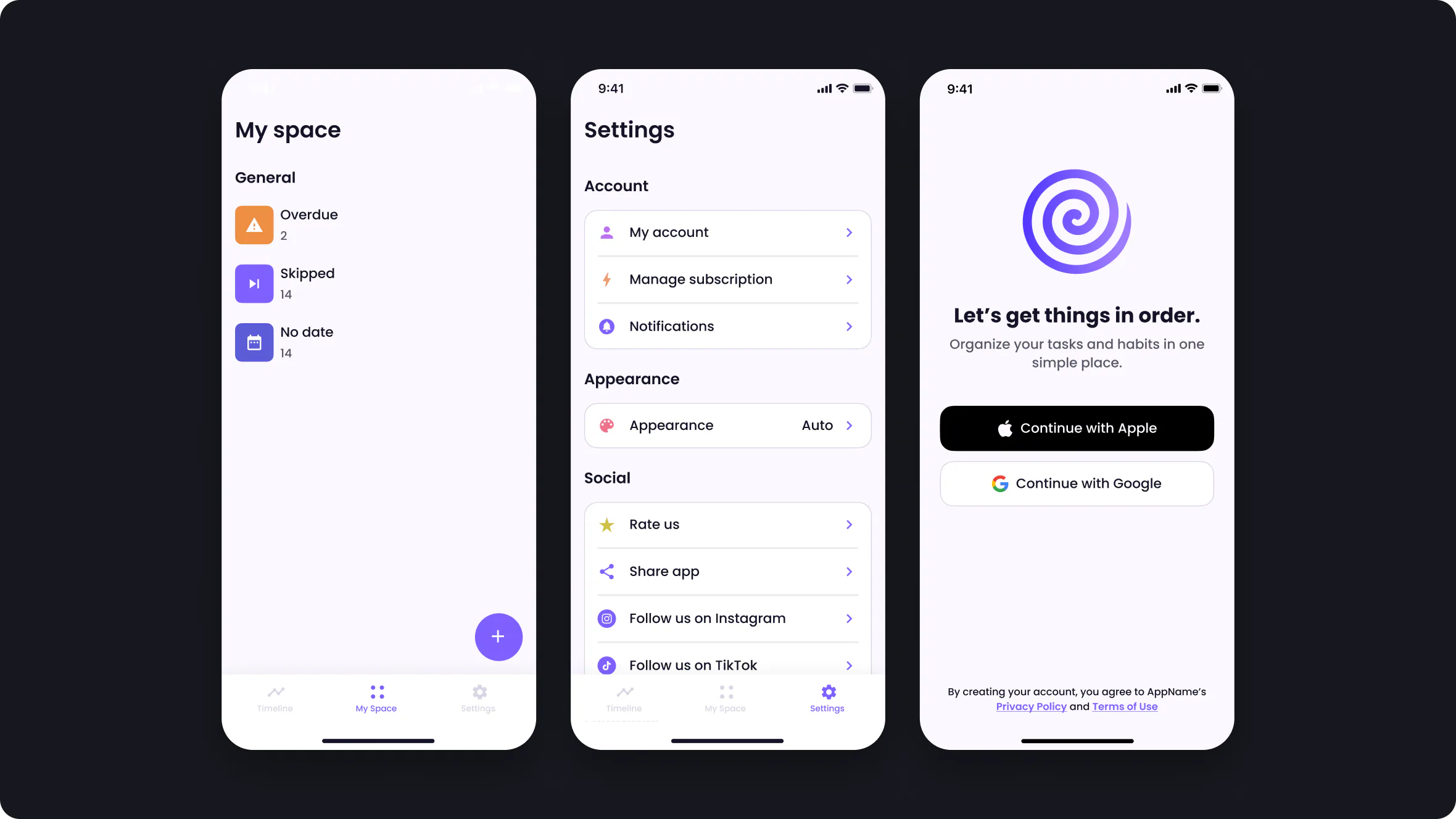
Three sections. Missed and unscheduled tasks live in My Space, so the Timeline stays focused on the day.
Timeline
Scheduled tasks · Daily activity · Weekly & monthly calendar
My Space
Overdue · Skipped · No date
Profile & Settings
Account · Subscription · Notifications · Support · Legal
Onboarding
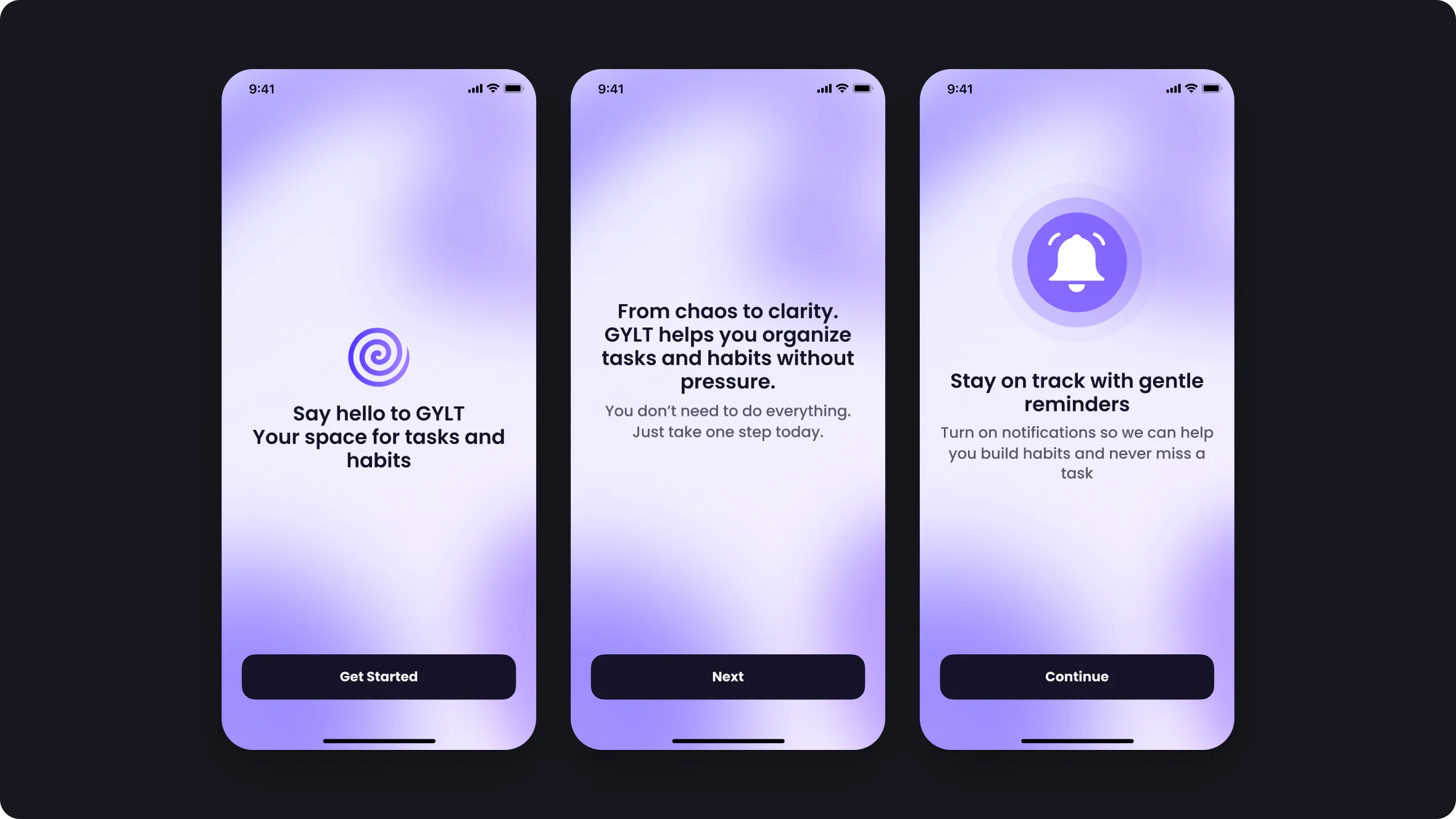
Three screens, soft lavender gradients and a gentle ask for notifications. Motion ideas stayed subtle: a rotating logo and a pulsing bell.
Timeline
The main screen. Pick a date and the list scrolls to it; scroll the list and the calendar follows. Swipe to change weeks, tap Today to come back. Seasonal covers mark each month, and overdue tasks appear only when there are some.

Task creation
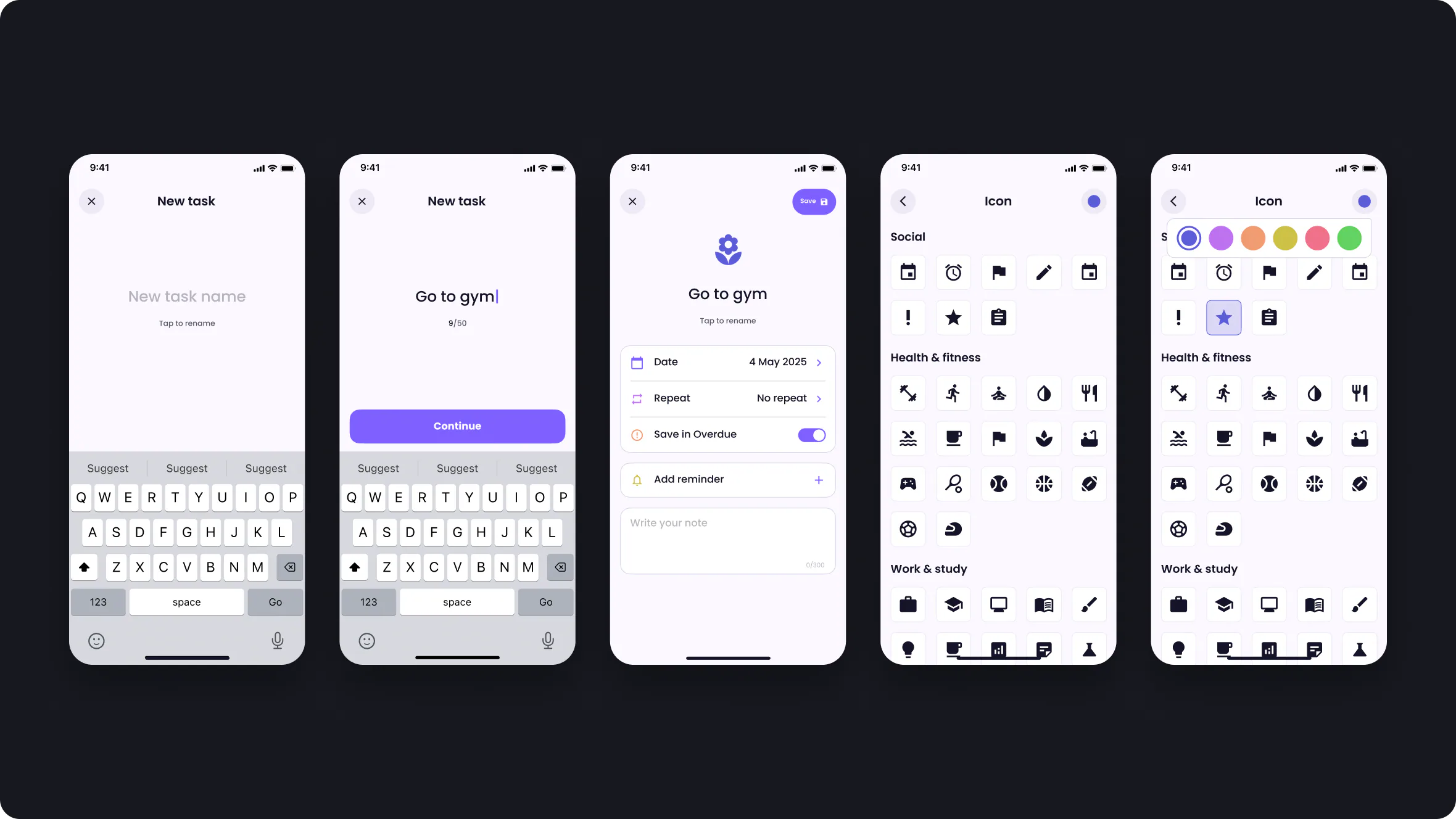
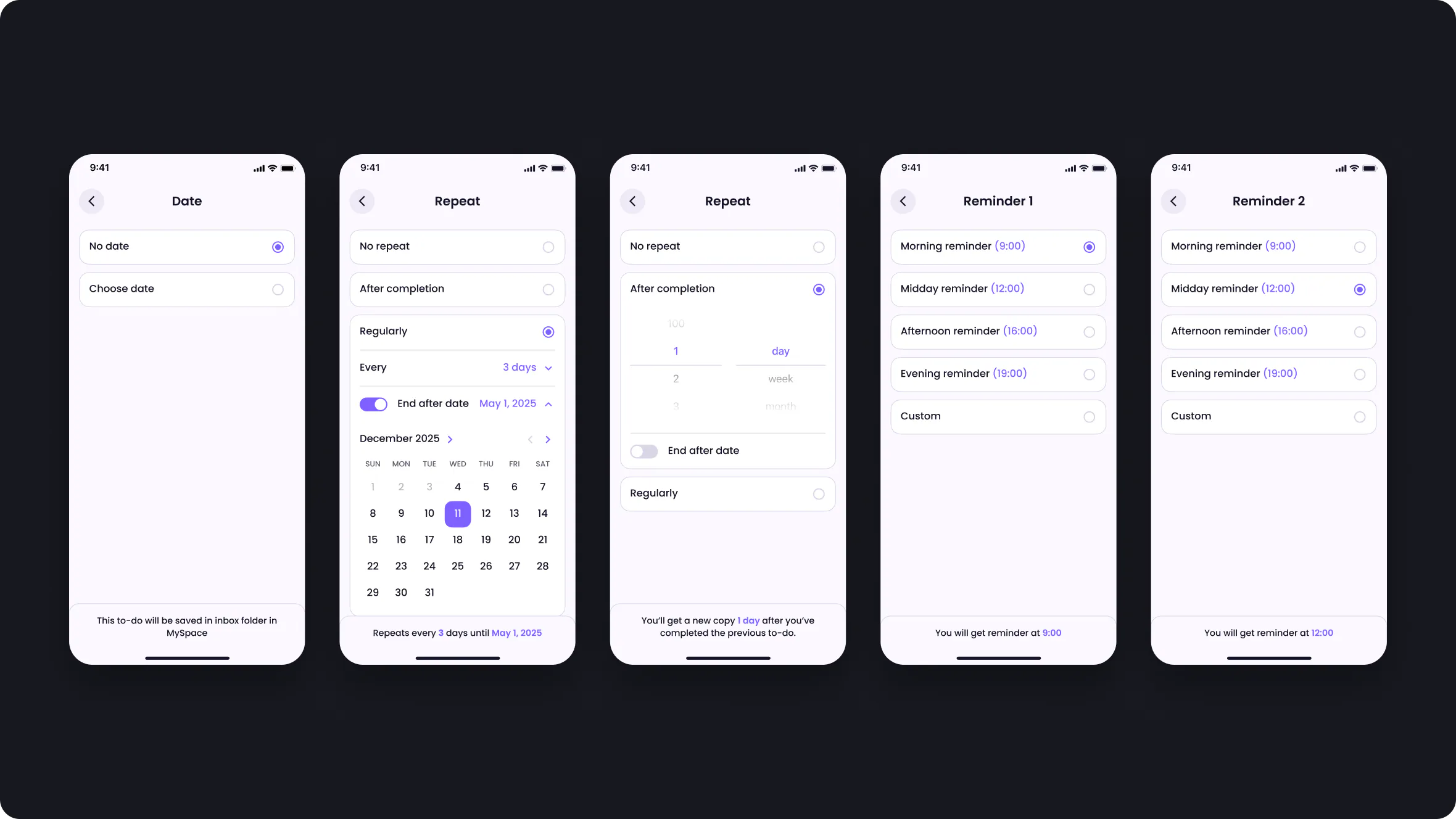
One focused screen: name, icon, date, repeat, reminders and a note. Icons are grouped by everyday categories, and a task created from a selected date gets that date prefilled.
Overdue & My Space
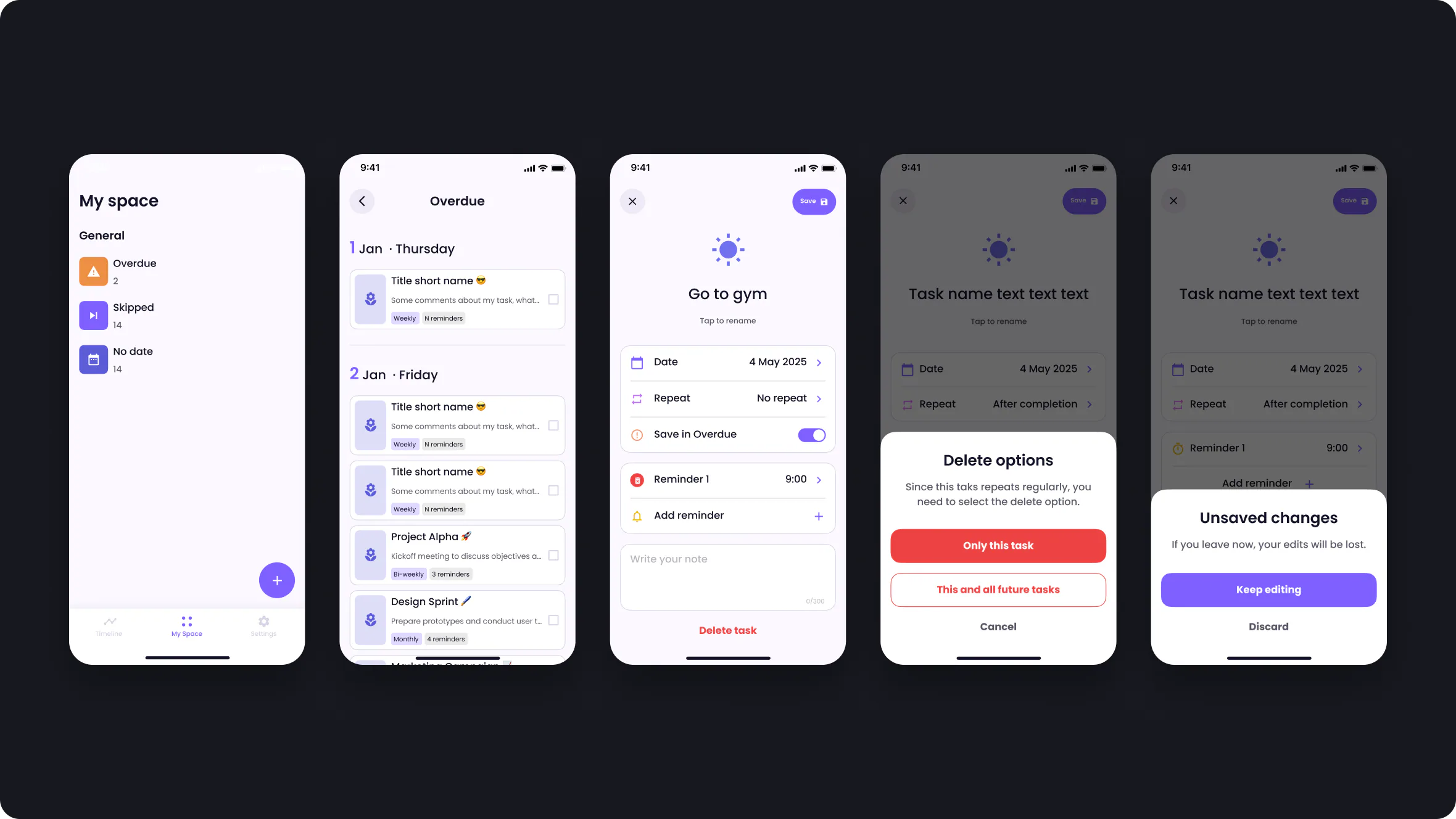
The Overdue setting decides what happens to a missed task: move it to overdue or skip it. Overdue, skipped and undated tasks get their own calm list, with clear confirmations for destructive actions.
Design system
A purple and lavender identity with light backgrounds, rounded cards and soft gradients. Buttons, inputs, task cards, calendars, pickers, bottom sheets, dialogs and empty states were documented with their states for development.

Premium exploration
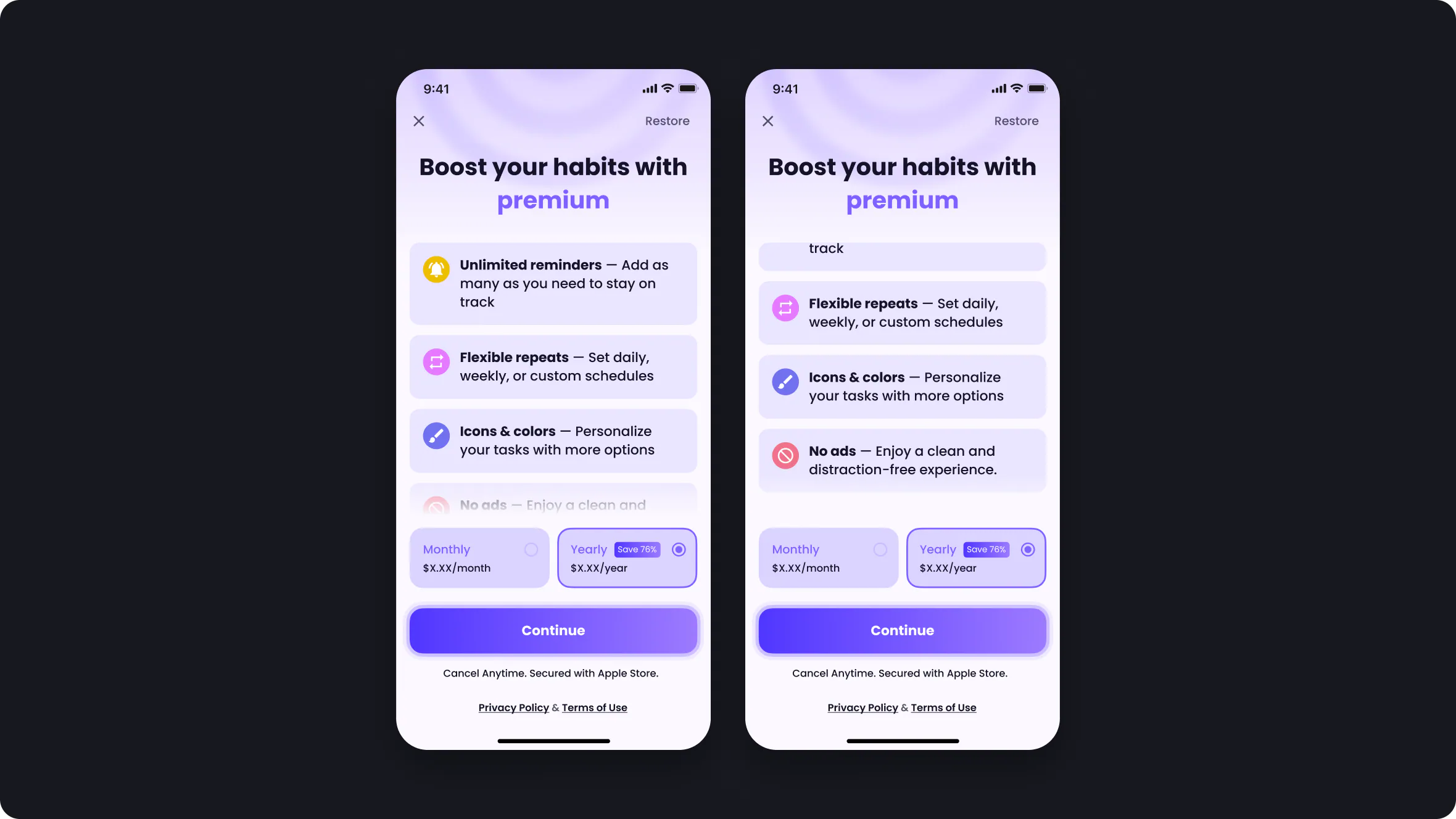
We explored a freemium model: one reminder for free, more with premium, plus customization and an ad-free experience. These are design explorations, not revenue results.
Reflection
After about seven months, development slowed: our developer moved into a team lead role at his main job, and relying on one developer became the bottleneck. We put GYLT on pause instead of calling it launched or cancelled.
What I took from it: scope the MVP around the core, document edge cases before they turn into questions, and plan for the team you actually have.